Pond Grading
Bentley's Basin.dgnlib
The Basin Civil Cell quickly creates and inside-out bottom and almost always looks good out-of-the box. The challenge is that it's hard to constrain how much land it grabs. Basin Civil Cell
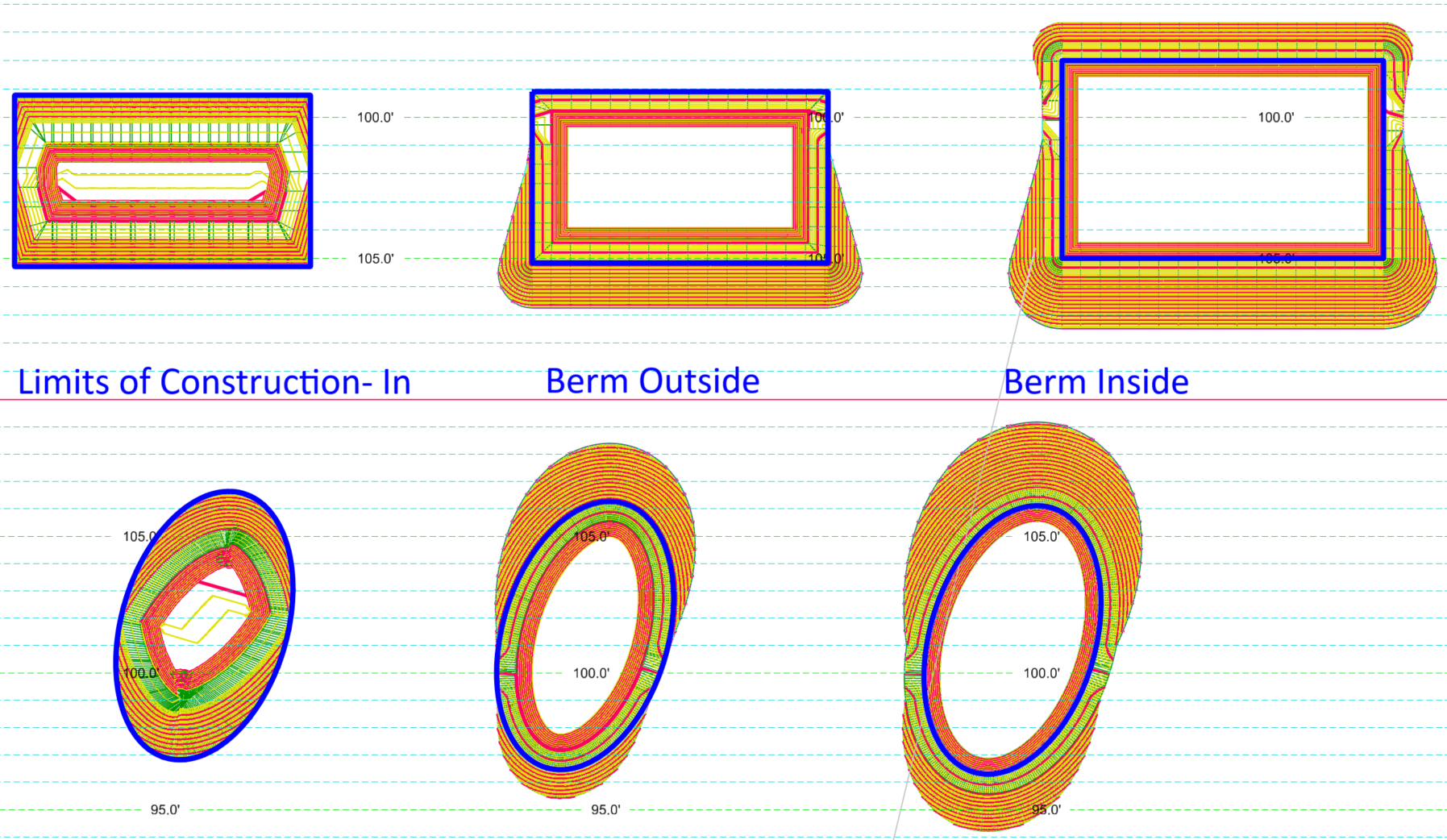
Outside-In / Top-Down Options
If you have spatial constraints, Outside-In/Top-Down Options may be useful.
The following templates run along a feature with an active profile (either the terrain elevation for the Limits, or the elevation of the Inside of the Berm for the berms)
- Template - Pond Limits of Construction Inward - for when you cannot extend beyond a boundary. Create a shape, create a Surface From Profile (All/Triangles), run this template.
- Template - Pond from Inside Berm - a shape for the Berm Inside at the Max Water Level plus Freeboard. Berm slope varies between a max before a cut/fill slope.
- Template - Pond from Outside Berm - if you have an intended Max Water Level, the shape of the top of pond (and berm outside) and have room for cut/fill outside or the berm, use this template.
Timesaving tip: if you're using the ORD Drainage Pond Design (from Terrain): the pond volume can be read once, there is no Update Storage tool. If you are iterating to need pond size, just change the values in the Pond tables, rather than repeatedly tweak the pond grading. Once you have a pond that meets hydraulic constraints, then do a final pond grading that matches the hydraulic numbers.